

Operating system: Windows, Android, macOS
Group of programs: Business automation

Organization of an automated workplace
- Copyright protects the unique methods of business automation that are used in our programs.

Copyright - We are a verified software publisher. This is displayed in the operating system when running our programs and demo-versions.

Verified publisher - We work with organizations around the world from small businesses to large ones. Our company is included in the international register of companies and has an electronic trust mark.

Sign of trust
Quick transition.
What do you want to do now?
If you want to get acquainted with the program, the fastest way is to first watch the full video, and then download the free demo version and work with it yourself. If necessary, request a presentation from technical support or read the instructions.

WhatsApp
During business hours we usually respond within 1 minute
How to buy the program?
View a screenshot of the program
Watch a video about the program
Download demo version
Compare configurations of the program
Calculate the cost of software
Calculate the cost of the cloud if you need a cloud server
Who is the developer?
Program screenshot
A screenshot is a photo of the software running. From it you can immediately understand what a CRM system looks like. We have implemented a window interface with support for UX/UI design. This means that the user interface is based on years of user experience. Each action is located exactly where it is most convenient to perform it. Thanks to such a competent approach, your work productivity will be maximum. Click on the small image to open the screenshot in full size.
If you buy a USU CRM system with a configuration of at least “Standard”, you will have a choice of designs from more than fifty templates. Each user of the software will have the opportunity to choose the design of the program to suit their taste. Every day of work should bring joy!
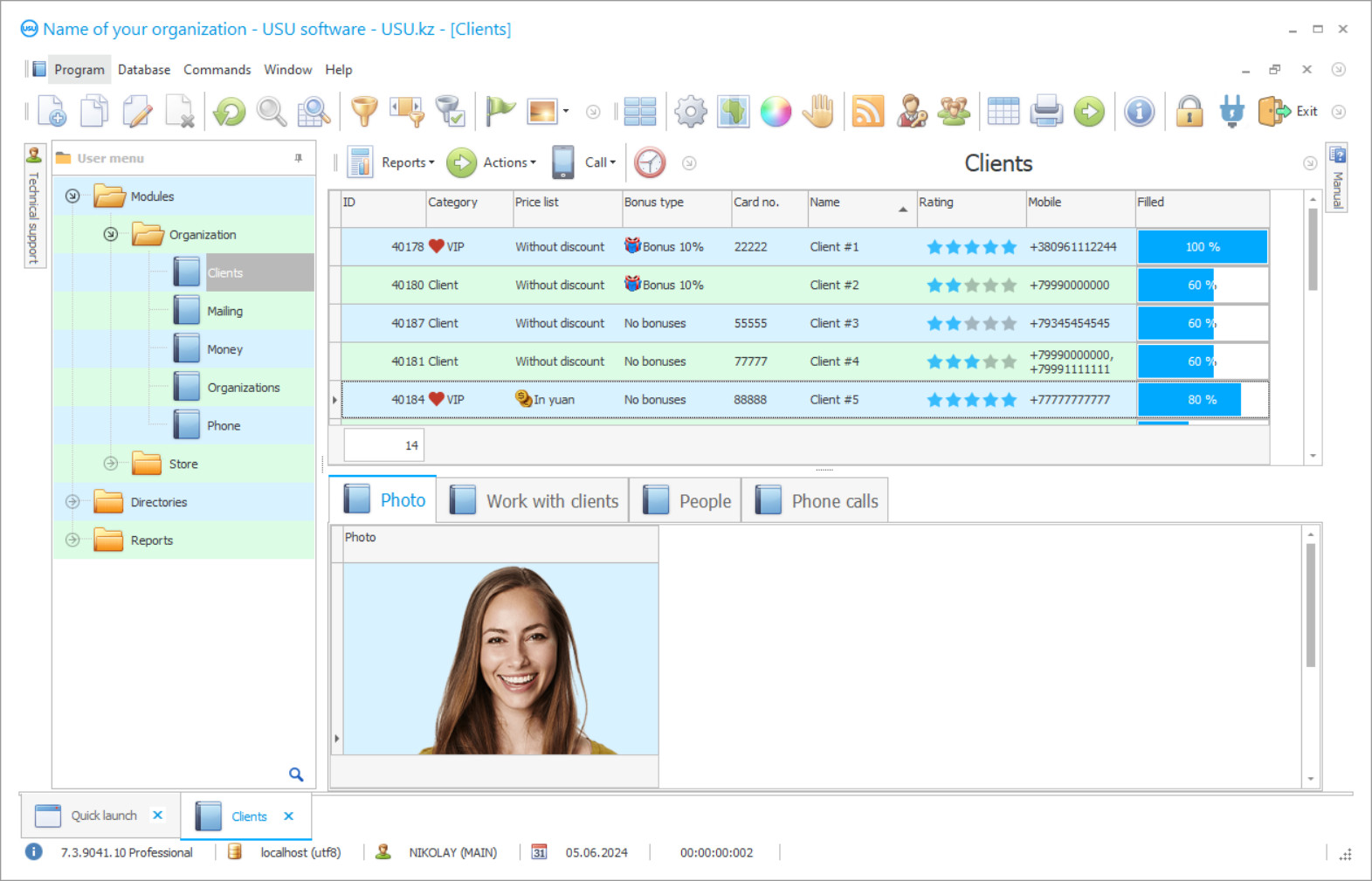
The organization of an automated workplace is the main task for each enterprise and its manager. For the automated management of an organization at workplaces, a specialized computer program is needed that can organize the collection, processing, storage, and provision of information data, quickly coping with the tasks set, increasing the quality and status of the organization. The main aspects when choosing software are automation, optimization of workplace time with control places, individual wishes. In order not to waste time and save jobs even with remote control, it is worth paying attention to our unique and automated program. USU Software is easily available to any company in terms of its functionality, price offer, management. Make sure yourself is available when installing our demo version, which is completely free and has many advantages. In just a couple of days, you can be convinced of the application's capabilities and automated management by selecting the modules and tools you need for your organization. To the affordable pricing policy, it is necessary to note the free subscription fee. When installing our automated program, two-hour technical support from our specialists is provided completely free of charge. You can consult the contact numbers indicated on the website. Our experts can help you choose modules, as well as develop additional ones upon your request and monitoring your organization.
The automated organization of workplaces allows management to monitor employees, their progress, and attendance, plan schedules and events by keeping an electronic planner of goals and objectives. Also, at the workplace, it is convenient to maintain an organization of workplaces with documents, importing and exporting in various formats, attaching records when sending and storing them securely on a remote server, backing up all documentation in a single database. Registration of information can be fully automated, quickly transferring materials from available media. Displaying materials will become real when organizing a working contextual search engine, optimizing the workplace hours and places of employees. All data can be stored electronically with a convenient and efficient classification according to certain criteria.
Who is the developer?

Akulov Nikolay
Expert and chief programmer who participated in the design and development of this software.
2026-09-23
Video of organization of an automated workplace

For customers, the organization of a unified customer relationship management database is available with full details of information on contact numbers, on the history of relationships, on settlements, and debts. If there are contact numbers, it is possible to promptly carry out selective or single distribution of messages to mobile numbers or by e-mail. This way you can quickly and easily increase productivity and loyalty. For goods and services, it is possible to organize a separate nomenclature, promptly generating the necessary reporting and documentation, settlement transactions, accepting payments in cash and non-cash form of the world currencies. With the help of an automated workplace, it is possible to monitor employees and calculate the total time worked, calculating wages, without lowering quality and productivity, discipline, and efficiency, even at remote work.
We thank you in advance for your interest and look forward to a fruitful relationship. We are waiting for your appeal at the specified contact numbers. Our state-of-the-art, automated, highly sophisticated USU Software system provides organization and management of all data. When organizing software implementation, our organization provides completely free two-hour technical support.
Download demo version
When starting the program, you can select the language.
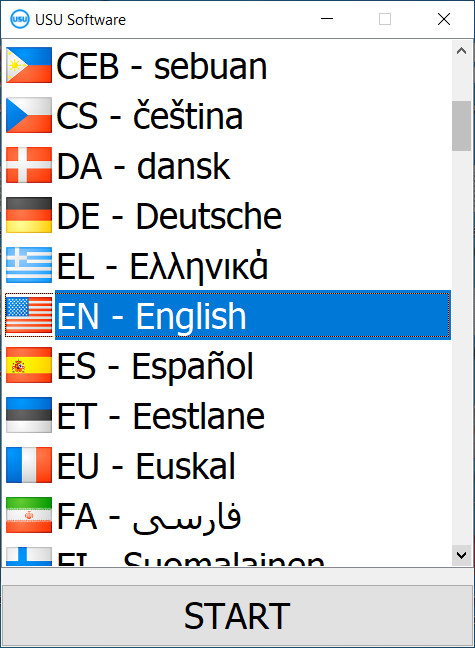
You can download the demo version for free. And work in the program for two weeks. Some information has already been included there for clarity.

Who is the translator?

Khoilo Roman
Chief programmer who took part in the translation of this software into different languages.
In addition to the low cost of the program, a free subscription fee is provided, which significantly optimizes the financial resources of your organization. The automated program helps when choosing modules for your organization, according to workplaces and the wishes of users. An automated form of organizing a common personnel base, maintaining distribution, delegating them to work by departments and personnel. It is available to combine all branches and branches of the organization in a single utility. The automated function of workplace planning with the provision of building plans and monitoring the implemented activities. Organization and selection of flexible configuration settings, choosing tools, modules, and themes to customize interface parameters. It is possible to develop your own logo for an individual design. Automated optimization of hours worked by workstations, performing accurate calculations for accounting and management. Automated classification of materials when registering information in a single information base, with the organization of convenience and high quality.
An unlimited number of files, documents, reports, and data can be maintained by employees, customers, and suppliers, by services and goods. Functionality and configuration are unlimited. By interacting with the general accounting system, it is possible to organize warehouses and accounting at the highest level.
Order an organization of an automated workplace
To buy the program, just call or write to us. Our specialists will agree with you on the appropriate software configuration, prepare a contract and an invoice for payment.
How to buy the program?

Send details for the contract
We enter into an agreement with each client. The contract is your guarantee that you will receive exactly what you require. Therefore, first you need to send us the details of a legal entity or individual. This usually takes no more than 5 minutes

Make an advance payment
After sending you scanned copies of the contract and invoice for payment, an advance payment is required. Please note that before installing the CRM system, it is enough to pay not the full amount, but only a part. Various payment methods are supported. Approximately 15 minutes

The program will be installed
After this, a specific installation date and time will be agreed upon with you. This usually happens on the same or the next day after the paperwork is completed. Immediately after installing the CRM system, you can ask for training for your employee. If the program is purchased for 1 user, it will take no more than 1 hour

Enjoy the result
Enjoy the result endlessly :) What is especially pleasing is not only the quality with which the software has been developed to automate everyday work, but also the lack of dependency in the form of a monthly subscription fee. After all, you will only pay once for the program.
Buy a ready-made program


Also you can order custom software development
If you have special software requirements, order custom development. Then you won’t have to adapt to the program, but the program will be adjusted to your business processes!
Organization of an automated workplace
An automated function for performing documentation and reporting tasks uses existing templates and samples. The automated multichannel form of management contributes to the prompt entry of all employees in a single user mode when distributing work tasks. The employer can control all business operations, receiving analytical and statistical reports in a fully automatic mode, ensuring accuracy and timeliness. It is available to conduct automated analysis of workplace specialists by organizing all workplace activities from the screens of workers on a common monitor, regulating all tasks remotely. Control over all financial movements. Automated organization of workplace payments and payments in cash and non-cash form, accepting payments in any world currency. Automated delineation of the organization's user capabilities is real based on actual work levels. These features and a lot more are waiting for you in the USU Software!