

Operating system: Windows, Android, macOS
Group of programs: Business automation

Program for creating a customer base
- Copyright protects the unique methods of business automation that are used in our programs.

Copyright - We are a verified software publisher. This is displayed in the operating system when running our programs and demo-versions.

Verified publisher - We work with organizations around the world from small businesses to large ones. Our company is included in the international register of companies and has an electronic trust mark.

Sign of trust
Quick transition.
What do you want to do now?
If you want to get acquainted with the program, the fastest way is to first watch the full video, and then download the free demo version and work with it yourself. If necessary, request a presentation from technical support or read the instructions.

WhatsApp
During business hours we usually respond within 1 minute
How to buy the program?
View a screenshot of the program
Watch a video about the program
Download demo version
Compare configurations of the program
Calculate the cost of software
Calculate the cost of the cloud if you need a cloud server
Who is the developer?
Program screenshot
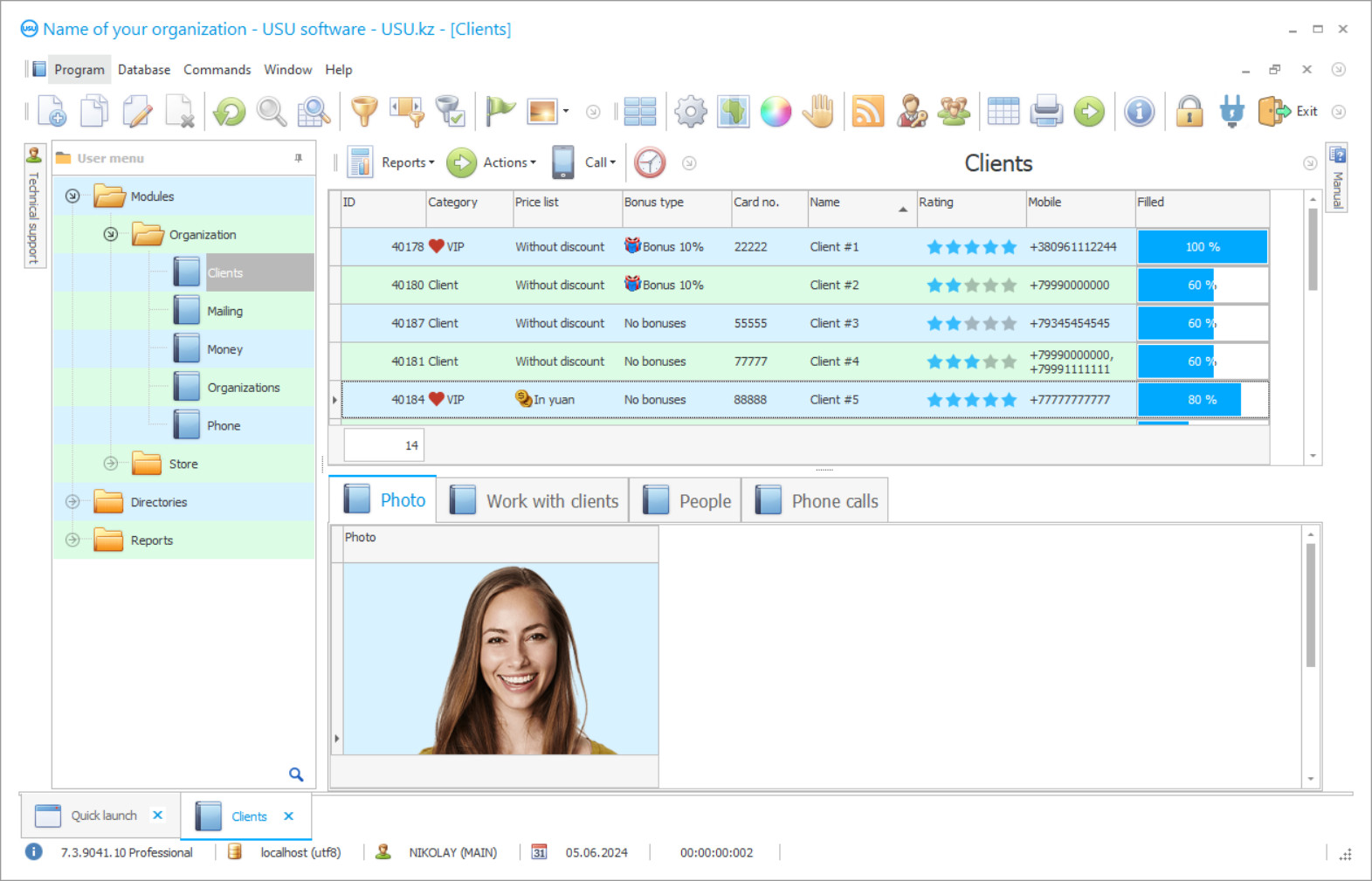
A screenshot is a photo of the software running. From it you can immediately understand what a CRM system looks like. We have implemented a window interface with support for UX/UI design. This means that the user interface is based on years of user experience. Each action is located exactly where it is most convenient to perform it. Thanks to such a competent approach, your work productivity will be maximum. Click on the small image to open the screenshot in full size.
If you buy a USU CRM system with a configuration of at least “Standard”, you will have a choice of designs from more than fifty templates. Each user of the software will have the opportunity to choose the design of the program to suit their taste. Every day of work should bring joy!
To organize and maintain order in the client list, avoiding annoying mistakes with the lack of up-to-date info, you need a professional program to create a client base, which would become the main platform for storing service info and documents. The problem of maintaining customer bases has always existed, many preferred to put up, believing that there was no alternative format, and those who value the reputation of the company and intend to achieve certain success in business are looking for other ways to create an effective mechanism. The search for additional specialists for these purposes becomes too costly measures, does not guarantee the correctness of the entered data, safety. But the use of info technology and the implementation of programs deserves attention since automation has become a trend in recent years in different areas of activity. If the creation of a common information space is only a part of the actual needs of the company, then we recommend taking a closer look at complex developments.
Who is the developer?

Akulov Nikolay
Expert and chief programmer who participated in the design and development of this software.
2026-09-23
Video of program for creating a customer base

It is this customer base format that our company USU Software is ready to offer, which for many years has been developing unique platforms for each customer, using an individual format for filling the interface. USU Software will be the optimal program for every entrepreneur, as it’ll reflect even minor nuances in the functionality. Unlike most customer base applications of this kind, it does not require lengthy user training and adaptation, because from the very beginning it was created for people with different levels of training. Well, a thought-out pricing policy also makes the cost of creating a project varying depending on the set of tools, which can be further expanded for an additional fee. It is easy to make sure of this yourself, using the demo version of the program, which helps you study the structure of the interface and try out some options. Algorithms configured in the system allow you to effectively monitor information flows, eliminate duplicates, organize and maintain created directories in an appropriate form in a customer base.
Download demo version
When starting the program, you can select the language.
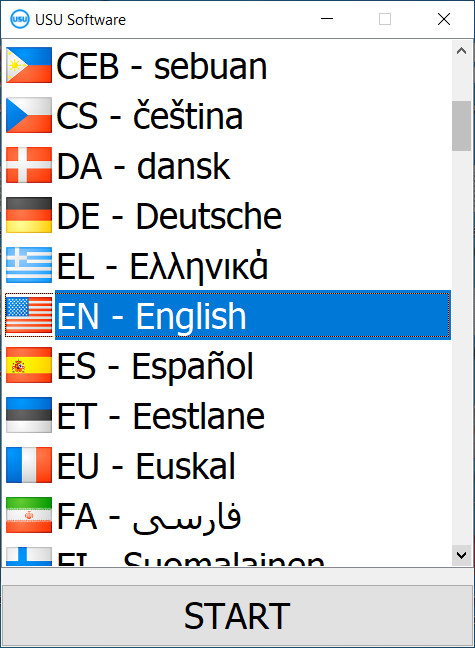
You can download the demo version for free. And work in the program for two weeks. Some information has already been included there for clarity.

Who is the translator?

Khoilo Roman
Chief programmer who took part in the translation of this software into different languages.
The program for creating a client base will be used only by those employees who have undergone preliminary registration and training from the developers, while the differentiation of access rights depending on the position is provided. Previous catalogs with contacts, documents, lists can be easily transferred to the customer base by import, reducing this stage to a few minutes. The customer’s electronic card will contain not only standard but also additional information, in the form of a history of communications, meetings, and transactions, attached images, contracts confirming the transactions, thus it is easy to continue cooperation when changing a manager. Companies with many remote subdivisions are united into a single information space, which simplifies the discussion of common projects and obtains up-to-date information. Communication between the staff takes place by exchanging messages in a separate communication module of the program, which means that you no longer have to run around offices, make endless calls to agree on details. Experts help you choose the optimal set of functions for your requests, implement and configure the program, and provide support for the entire period of use.
Order a program for creating a customer base
To buy the program, just call or write to us. Our specialists will agree with you on the appropriate software configuration, prepare a contract and an invoice for payment.
How to buy the program?

Send details for the contract
We enter into an agreement with each client. The contract is your guarantee that you will receive exactly what you require. Therefore, first you need to send us the details of a legal entity or individual. This usually takes no more than 5 minutes

Make an advance payment
After sending you scanned copies of the contract and invoice for payment, an advance payment is required. Please note that before installing the CRM system, it is enough to pay not the full amount, but only a part. Various payment methods are supported. Approximately 15 minutes

The program will be installed
After this, a specific installation date and time will be agreed upon with you. This usually happens on the same or the next day after the paperwork is completed. Immediately after installing the CRM system, you can ask for training for your employee. If the program is purchased for 1 user, it will take no more than 1 hour

Enjoy the result
Enjoy the result endlessly :) What is especially pleasing is not only the quality with which the software has been developed to automate everyday work, but also the lack of dependency in the form of a monthly subscription fee. After all, you will only pay once for the program.
Buy a ready-made program


Also you can order custom software development
If you have special software requirements, order custom development. Then you won’t have to adapt to the program, but the program will be adjusted to your business processes!
Program for creating a customer base
The program from our company allows you to automate almost any field of activity due to the availability of an adaptive interface. Thanks to the thoughtfulness of the menu and individual settings, the transition to the new working format will take place comfortably and in a short time. For all customer bases, you can restrict access, determine visibility rights for users, based on the current goals of the company. Filling out a new customer card takes a minute, thanks to the use of a prepared template.
Registration of all personnel actions helps to determine the source of the document, records, evaluate the real contribution to a specific project. The context menu is designed to simplify and speed up the search for any information in extensive catalogs, where you should enter just a couple of characters to get the result. It is possible to divide contractors into different created categories, for the convenience of further work or the formation of commercial offers. Creating a mass, selective, or individual mailing list help in prompt information about news, events, and promotions. The program can also be used for document management, calculations, and management of many processes. Scheduling tasks and rational distribution of the workload between subordinates will increase the efficiency of the activities carried out. The application controls financial transactions, the company's budget, as well as the presence of debts on both sides. Each employee should be able to change the external design of the account for themselves, for this, there are dozens of created topics.
The program supports connection via a local network and the Internet; for a remote format, you must have an electronic device with a specialized installed license. Automatic blocking of an account in the absence of an employee at the workplace will save you from outside interference. The presentation and video review of the platform will acquaint you with other advantages of the program. These features and a lot more wait for you in the USU Software! Download the trial version of it today for free, to see how effective it is for yourself.