

Operating system: Windows, Android, macOS
Group of programs: Business automation

Spreadsheets for a game center
- Copyright protects the unique methods of business automation that are used in our programs.

Copyright - We are a verified software publisher. This is displayed in the operating system when running our programs and demo-versions.

Verified publisher - We work with organizations around the world from small businesses to large ones. Our company is included in the international register of companies and has an electronic trust mark.

Sign of trust
Quick transition.
What do you want to do now?
If you want to get acquainted with the program, the fastest way is to first watch the full video, and then download the free demo version and work with it yourself. If necessary, request a presentation from technical support or read the instructions.

WhatsApp
During business hours we usually respond within 1 minute
How to buy the program?
View a screenshot of the program
Watch a video about the program
Download demo version
Compare configurations of the program
Calculate the cost of software
Calculate the cost of the cloud if you need a cloud server
Who is the developer?
Program screenshot
A screenshot is a photo of the software running. From it you can immediately understand what a CRM system looks like. We have implemented a window interface with support for UX/UI design. This means that the user interface is based on years of user experience. Each action is located exactly where it is most convenient to perform it. Thanks to such a competent approach, your work productivity will be maximum. Click on the small image to open the screenshot in full size.
If you buy a USU CRM system with a configuration of at least “Standard”, you will have a choice of designs from more than fifty templates. Each user of the software will have the opportunity to choose the design of the program to suit their taste. Every day of work should bring joy!
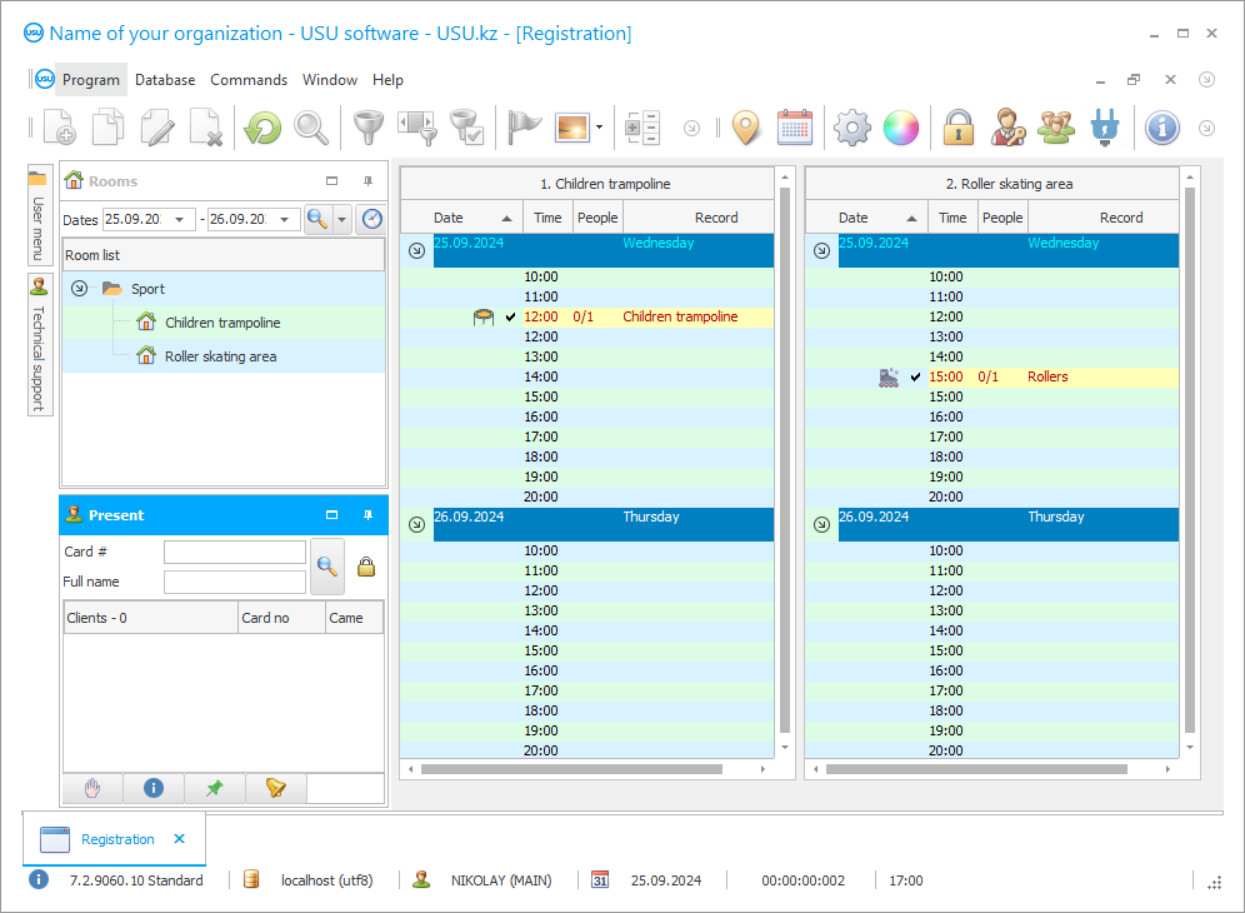
The game center spreadsheets' automation application serves as a tool for recording various processes and analyzing them, to have the most accurate and latest information data on your game center, which in this case is a game center. A gaming center can specialize in providing a variety of entertainment options. Game center spreadsheets can store a variety of data about its customers, merchandise, inventory, game grounds, materials, newsletters, dashboards, and more. The spreadsheets for the gaming center are maintained depending on the direction of the game center. Manually maintaining spreadsheets can be very time-consuming, especially maintaining regular spreadsheets.
Usually, manually producing spreadsheets isn’t very easy, you need to deduce from the given algorithms if the data is entered incorrectly or changed. If you get the wrong formula for calculating the data, the information will inevitably suffer. Manual data entry is tedious and requires care when recording data. To create a series of documents, you will need to manually create multiple spreadsheet workbooks. Data stored in this way can easily be lost in the event of a computer system failure. For the game center, this threatens the loss of working time. Is there a way out of this situation? Modern automation can ensure smooth operation. Specialized spreadsheet compilation programs work according to previously debugged algorithms that do not need to be corrected or created manually. One example is a resource from the USU Software development team. This software was developed to manage the activities of a game center regardless of its specialization, field of activity, and form of the legal entity. If we talk about spreadsheets, then in our advanced application all data is presented to the user in the form of spreadsheets. These spreadsheets were set by the developers when they created the resource. The spreadsheet format of work allows you to orderly manage the flow of information. For the game center, the USU Software provides the following main functions: order management, projects, customer base management, inventory management, accounting of settlements, debts, cash. For example, to form a statement about a customer in a database, you will need to sequentially enter the data in a special spreadsheet, the same sequence for suppliers and other organizations. Thus, spreadsheet registers are formed. The difference from Excel is that if the data is not entered correctly, smart software will tell you where you made a mistake, and backing up the database will ensure the safety of the information. For the general manager, there are convenient spreadsheets in the form of reports that allow you to determine the profitability of processes. Any services provided or goods sold will be automatically recorded in the system. Our advanced spreadsheet program acts as an intelligent assistant that frees your employees from routine work.
Who is the developer?

Akulov Nikolay
Expert and chief programmer who participated in the design and development of this software.
2026-09-23
Video of spreadsheets for a game center

We are ready to adapt the program to your profile and offer technical support at all stages. The platform has a clear interface, simple functions, and a high level of adaptation to the specialization of the game center. You can find more information about us and the possibilities of our application using the video review on our website, as well as in the reviews and opinions of experts. Record keeping has a positive or negative impact on a game center's image. High-quality accounting will tell a lot about the game center to the customers, they will visit their favorite institution again and again. USU Software perfectly manages the process of taking into account all the financial information of your game center, as well as any incidental processes in the game center’s management workflow.
In the program for the game center from the USU Software, you can track any number of your holidays and services provided. The platform can reflect the provision of various services and goods sold.
Download demo version
When starting the program, you can select the language.
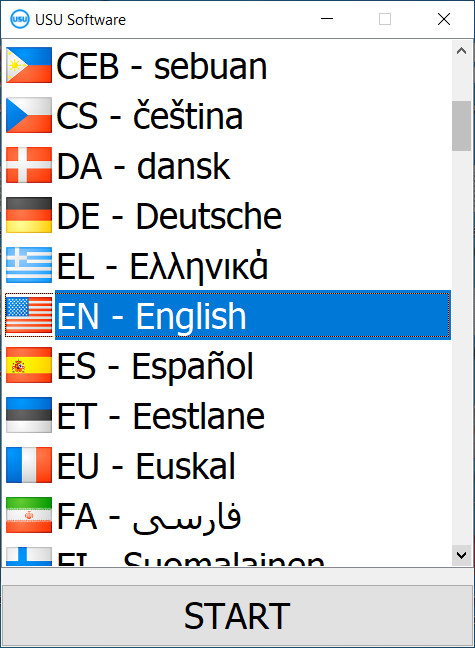
You can download the demo version for free. And work in the program for two weeks. Some information has already been included there for clarity.
Who is the translator?

Khoilo Roman
Chief programmer who took part in the translation of this software into different languages.
For each order, you can plan a budget, assign people in charge, assign milestones and record the final results.
All orders are saved in the system and become statistics and history of your game center.
Order a spreadsheets for a game center
To buy the program, just call or write to us. Our specialists will agree with you on the appropriate software configuration, prepare a contract and an invoice for payment.
How to buy the program?

Send details for the contract
We enter into an agreement with each client. The contract is your guarantee that you will receive exactly what you require. Therefore, first you need to send us the details of a legal entity or individual. This usually takes no more than 5 minutes

Make an advance payment
After sending you scanned copies of the contract and invoice for payment, an advance payment is required. Please note that before installing the CRM system, it is enough to pay not the full amount, but only a part. Various payment methods are supported. Approximately 15 minutes
The program will be installed
After this, a specific installation date and time will be agreed upon with you. This usually happens on the same or the next day after the paperwork is completed. Immediately after installing the CRM system, you can ask for training for your employee. If the program is purchased for 1 user, it will take no more than 1 hour

Enjoy the result
Enjoy the result endlessly :) What is especially pleasing is not only the quality with which the software has been developed to automate everyday work, but also the lack of dependency in the form of a monthly subscription fee. After all, you will only pay once for the program.
Buy a ready-made program


Also you can order custom software development
If you have special software requirements, order custom development. Then you won’t have to adapt to the program, but the program will be adjusted to your business processes!
Spreadsheets for a game center
In the system, you can enter all the contact information of your customers, as well as their characteristics and preferences. Use the system to build relationships with suppliers and third parties who are indirectly involved in your business. Our program has a complete set of standard forms for registering services or goods sold. Using our software, you can provide settlement documents. You can distribute responsibilities among employees and then track the execution of work processes at the game center.
Personnel control allows you to assess the workload of employees and their effectiveness.
This accounting system provides information support via SMS, e-mail, instant messengers, or voice messages. In the accounting system of the gaming center, you can work with various services and goods. Use our spreadsheet program for financial accounting and control over incoming payments and expenses of the game center. The spreadsheet program is constantly improving its tools. You can count on constant technical support from our developers. The gaming center software is customized individually for each client, which gives you the advantage of not overpaying for unnecessary features, and only pay for functionality that you need. A free trial version of the product is available on our website. Create spreadsheets, keep financial records, optimize activities, and a lot more with the USU Software!