

Operating system: Windows, Android, macOS
Group of programs: Business automation

Control of security workers
- Copyright protects the unique methods of business automation that are used in our programs.

Copyright - We are a verified software publisher. This is displayed in the operating system when running our programs and demo-versions.

Verified publisher - We work with organizations around the world from small businesses to large ones. Our company is included in the international register of companies and has an electronic trust mark.

Sign of trust
Quick transition.
What do you want to do now?
If you want to get acquainted with the program, the fastest way is to first watch the full video, and then download the free demo version and work with it yourself. If necessary, request a presentation from technical support or read the instructions.

WhatsApp
During business hours we usually respond within 1 minute
How to buy the program?
View a screenshot of the program
Watch a video about the program
Download demo version
Compare configurations of the program
Calculate the cost of software
Calculate the cost of the cloud if you need a cloud server
Who is the developer?
Program screenshot
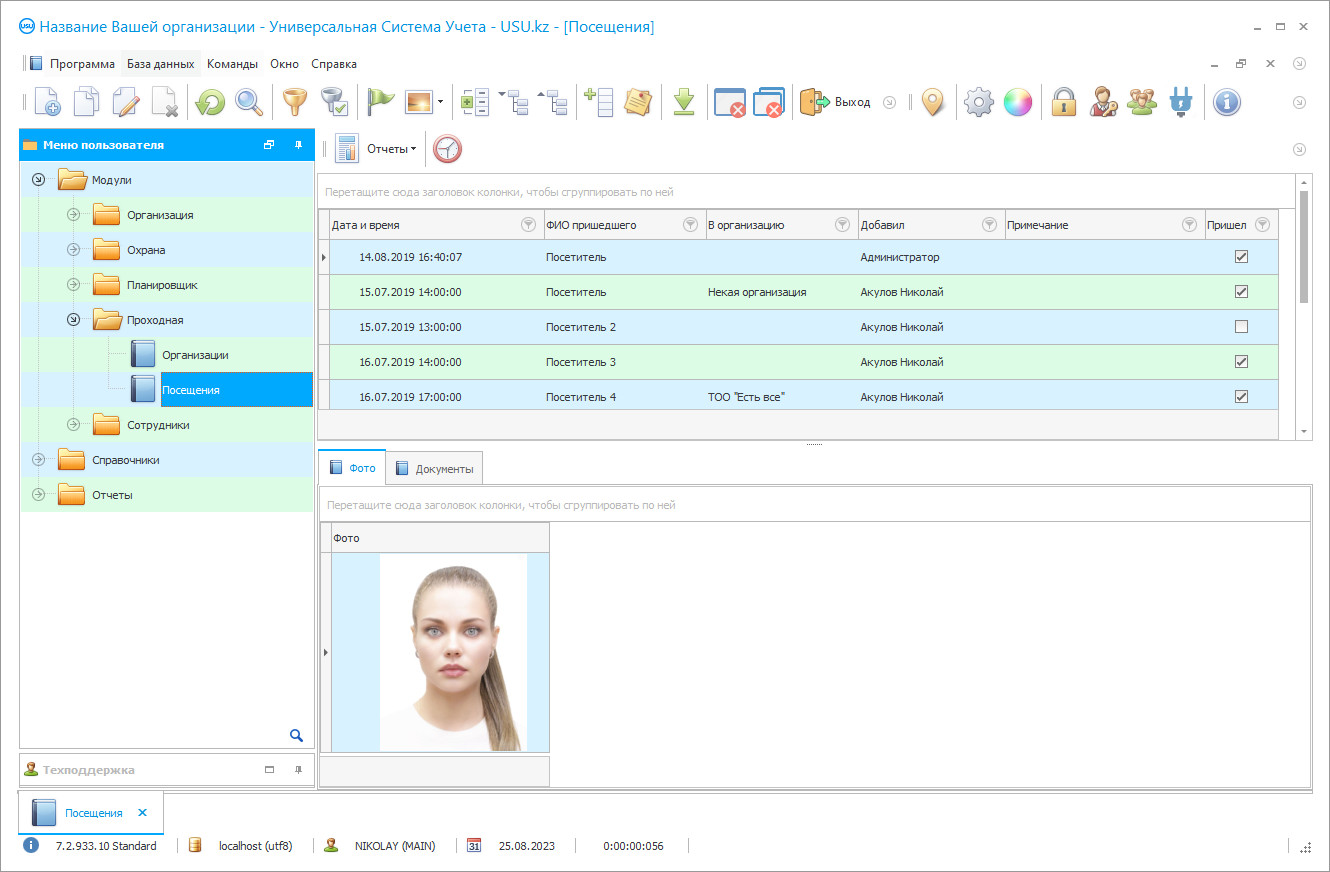
A screenshot is a photo of the software running. From it you can immediately understand what a CRM system looks like. We have implemented a window interface with support for UX/UI design. This means that the user interface is based on years of user experience. Each action is located exactly where it is most convenient to perform it. Thanks to such a competent approach, your work productivity will be maximum. Click on the small image to open the screenshot in full size.
If you buy a USU CRM system with a configuration of at least “Standard”, you will have a choice of designs from more than fifty templates. Each user of the software will have the opportunity to choose the design of the program to suit their taste. Every day of work should bring joy!
Monitoring security workers in real-time is necessary not only in terms of checking their compliance with labor discipline but also in order to make the best decision in the event of any unforeseen circumstances or emergencies when the nearest employee must be urgently sent to the scene to assess the situation and taking the necessary measures. Security considers the protection of the interests of the enterprise and ensuring the safety of its resources, be it workers, financial, material, or informational assets, or anything else as the main goal of its activities. Accordingly, the control of security workers is carried out within the framework of this goal and aimed at achieving it with tasks. The activities of the security service should be regulated by a set of relevant regulations, instructions, internal rules, and regulations, developed in strict accordance with the laws of the state. Compliance with legal requirements, first of all, is necessary for the interests of the company or enterprise itself. It is no secret that the actions of its employees often cause displeasure and irritation of others since they include numerous prohibitions and restrictions. Therefore, strict observance of the letter and spirit of the laws, keeping timely records provide security workers with protection from various claims and accusations of various kinds. The system of accounting, control, and management of security workers should ensure accurate recording of the location and actions of each employee at any time. This allows organizing the activities in the most optimal way, creating conditions for a quick response of security workers to any incident or unusual event, analyzing their actions, identifying errors and working out an algorithm of actions for the future, and so on. The storage time of such records is set by the control and management of the enterprise.
USU Software has developed its own high-tech software designed to streamline and optimize the work of the security service, automate key business processes in general and monitor security personnel, in particular. The program is conveniently and logically organized, understandable, and easy to learn. The modular structure allows the development and improvement of certain areas and types of security services, depending on the specifics of the protected objects. This system provides the ability to integrate an unlimited number of various technical devices used to control the perimeter of the territory, compliance with fire safety rules, established access control, limited access to special rooms for production, storage, server rooms, weapons rooms, and so on. Built-in tools provide the formation of general work plans for individual objects, individual plans for employees, schedules of duty shifts, routes bypassing the territory, the order of inspection and control of people and vehicles, and so on. The electronic checkpoint provides the ability to print on-site permanent and one-time passes with the attachment of photographs of visitors, keeping records of the date, time, purpose of the visit, the duration of the stay of the guest on the territory, etc. Based on these data, it is possible to analyze the dynamics of visits, determine the most visited divisions, etc. in order to optimize measures to protect and protect the interests of the enterprise, conduct daily work with security workers.
Who is the developer?

Akulov Nikolay
Expert and chief programmer who participated in the design and development of this software.
2026-09-23
Video of control of security workers
This video is in Russian. We have not yet managed to make videos in other languages.

USU Software contributes to the overall control of the situation at the facility, to increase the efficiency of management of the employees of the enterprise as a whole, to strengthen work discipline, and to ensure the safety of valuable resources.
This advanced and modern program provides a general optimization of the work of the security service at the enterprise as a whole, as well as effective control of security personnel in the process of performing their duties and maintaining current records. Various procedures are carried out at a high-quality level and meet modern programming standards. Our system is customized for each specific customer, taking into account the specifics of protected objects and security services, approved work methods, and management rules.
Download demo version
When starting the program, you can select the language.
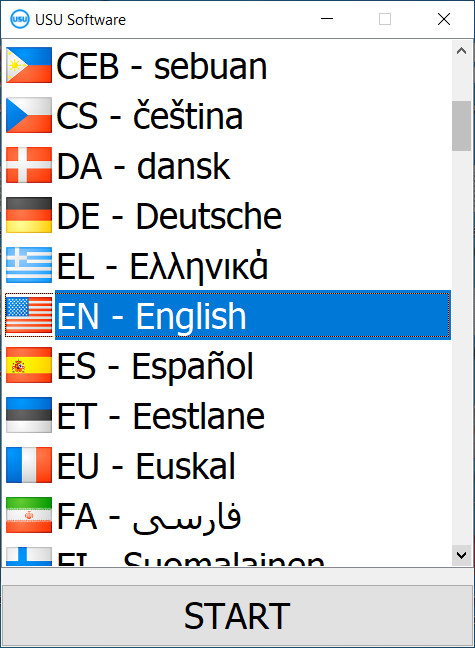
You can download the demo version for free. And work in the program for two weeks. Some information has already been included there for clarity.
Who is the translator?

Khoilo Roman
Chief programmer who took part in the translation of this software into different languages.
Automation of the current processes related to the security of the facility ensures the control of security personnel in the most optimal way. Such a program has a modular structure that allows you to refine and develop certain areas of work and security services. The built-in electronic checkpoint can be used at any enterprise, business center, and so on. With the help of the USU Software, the construction of general work plans for the objects of protection, individual plans for security service workers, the schedule of duty shifts, the formation of routes bypassing the territory is carried out.
Our program provides for the integration of various technical devices used to monitor the situation on the territory of the company and keep records of malfunctions and incidents, for example of sensors, alarms, electronic locks and turnstiles, and so on.
Order a control of security workers
To buy the program, just call or write to us. Our specialists will agree with you on the appropriate software configuration, prepare a contract and an invoice for payment.
How to buy the program?
Send details for the contract
We enter into an agreement with each client. The contract is your guarantee that you will receive exactly what you require. Therefore, first you need to send us the details of a legal entity or individual. This usually takes no more than 5 minutes

Make an advance payment
After sending you scanned copies of the contract and invoice for payment, an advance payment is required. Please note that before installing the CRM system, it is enough to pay not the full amount, but only a part. Various payment methods are supported. Approximately 15 minutes
The program will be installed
After this, a specific installation date and time will be agreed upon with you. This usually happens on the same or the next day after the paperwork is completed. Immediately after installing the CRM system, you can ask for training for your employee. If the program is purchased for 1 user, it will take no more than 1 hour

Enjoy the result
Enjoy the result endlessly :) What is especially pleasing is not only the quality with which the software has been developed to automate everyday work, but also the lack of dependency in the form of a monthly subscription fee. After all, you will only pay once for the program.
Buy a ready-made program


Also you can order custom software development
If you have special software requirements, order custom development. Then you won’t have to adapt to the program, but the program will be adjusted to your business processes!
Control of security workers
The incoming signals are received and processed by the system centrally. An advanced built-in map allows you to quickly localize the incident message and send the nearest patrol to the site. With the help of the task planner, general work plans are formed for each object, schedules, and schedules of duty shifts, the construction of optimal routes for bypassing the territory, monitoring patrols, maintaining current reporting, and so on. Security workers have the opportunity to print one-time and permanent passes for visitors with the attachment of photos directly at the entrance. The program fixes the location of each security worker at any time, providing control over the performance of official duties. Centralized processing and storage of information about recorded visits make it possible to generate summary reports indicating the date, time, purpose, and duration of the visit, the receiving unit, to monitor the movements of the visitor across the territory, and so on. By an additional order, a mobile version of the application can be configured for clients and employees of the company.