

Operating system: Windows, Android, macOS
Group of programs: Business automation

Management of stock balances
- Copyright protects the unique methods of business automation that are used in our programs.

Copyright - We are a verified software publisher. This is displayed in the operating system when running our programs and demo-versions.

Verified publisher - We work with organizations around the world from small businesses to large ones. Our company is included in the international register of companies and has an electronic trust mark.

Sign of trust
Quick transition.
What do you want to do now?
If you want to get acquainted with the program, the fastest way is to first watch the full video, and then download the free demo version and work with it yourself. If necessary, request a presentation from technical support or read the instructions.

WhatsApp
During business hours we usually respond within 1 minute
How to buy the program?
View a screenshot of the program
Watch a video about the program
Download demo version
Compare configurations of the program
Calculate the cost of software
Calculate the cost of the cloud if you need a cloud server
Who is the developer?
Program screenshot
A screenshot is a photo of the software running. From it you can immediately understand what a CRM system looks like. We have implemented a window interface with support for UX/UI design. This means that the user interface is based on years of user experience. Each action is located exactly where it is most convenient to perform it. Thanks to such a competent approach, your work productivity will be maximum. Click on the small image to open the screenshot in full size.
If you buy a USU CRM system with a configuration of at least “Standard”, you will have a choice of designs from more than fifty templates. Each user of the software will have the opportunity to choose the design of the program to suit their taste. Every day of work should bring joy!
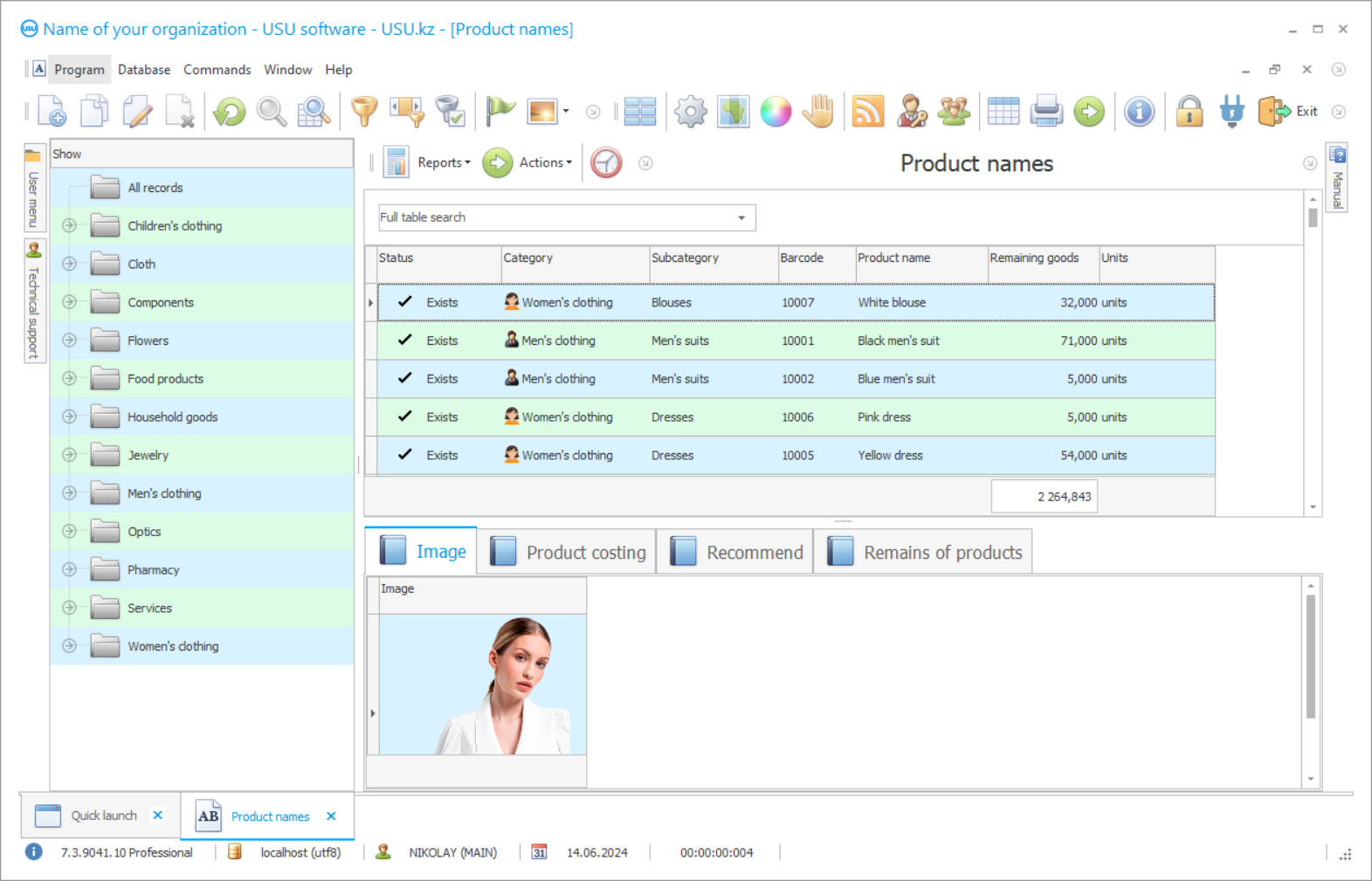
Management of stock balances using professional software allows establishing interaction between the warehouse staff and the management. Special user settings allow to delegate the authority for each type of the raw materials and balances. In a process of management, it is important to build a clear action plan for controlling stock balances throughout the entire activity.
The USU Software helps you to manage the stock balances, to make new documents on the receipt and expenditure in production. Each operation is recorded in a special journal, where the number, date, and person in charge are indicated. The management in the organization can be judged on the interest of the owners in the prosperity of their activities. It is necessary to carefully monitor purchases, sales, the changes in inventory balances, the movement of vehicles and much more. Thus, it is possible to guarantee high efficiency of management between all links.
Who is the developer?

Akulov Nikolay
Expert and chief programmer who participated in the design and development of this software.
2026-09-23
Video of management of stock balances

Warehouse balances are managed continuously. Any operation is entered in chronological order and assigned its own serial number. When a new product is purchasing, the inventory card is filled in, which contains the identification code, a name, a conventional unit, and service life. Warehouse employees need to identify objects that have a suitable service life and send them for sale or production. An inventory is carried out systematically in the organization, where actual balances and accounting records are compared. After such a procedure, surpluses or shortages are identified, ideally, both indicators should be absent, but not all the enterprises succeed in this.
The USU Software is used to work in manufacturing, transport, construction, and other enterprises. It is used by beauty salons, health centers, and dry cleaners. Thanks to its versatility, it guarantees the generation of any reports throughout the entire activity. Specialized reference books, statements, and classifiers provide a large list for filling out typical operations. The built-in assistant will help the new users to quickly get up with the configuration. All management levels are closely monitored in real-time, so management always has up-to-date information about the current state of the company.
Download demo version
When starting the program, you can select the language.
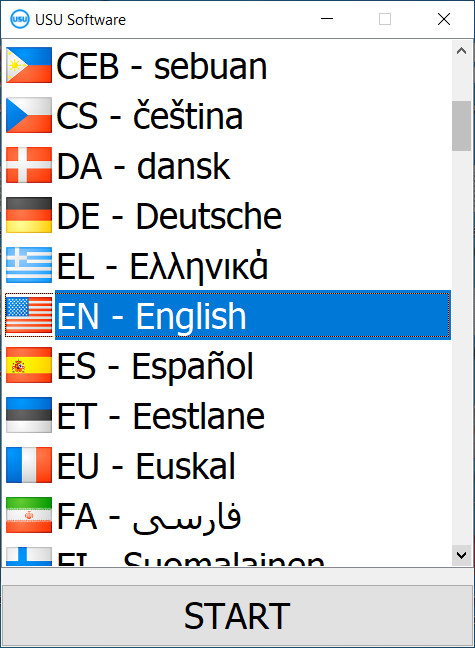
You can download the demo version for free. And work in the program for two weeks. Some information has already been included there for clarity.

Who is the translator?

Khoilo Roman
Chief programmer who took part in the translation of this software into different languages.
The management of the balances in the warehouse of the organization is carried out using modern equipment. New technologies are open up additional opportunities. Warehouse personnel does their job promptly. The electronic system records the primary documents that came with new goods. According to the invoice requirements, available stocks are issued, in accordance with the availability of balances. At a critical level of requested materials, the program can send a notification. Next, an application is filled out to the supply department. Thus, internal management must be clear in order to comply with the principle of business continuity. This is the only way to get a good level of revenue and net profit for the period.
It’s obvious that maintaining accurate stock balances is critical to achieving effective inventory management. If you don’t know what is actually in your warehouse or storeroom, you cannot provide customers with reliable stock availability information and you won’t reorder products at the proper time. Maintaining accurate stock balances is a vital component of an effective inventory management program. Without correct on-hand quantities, it is difficult if not impossible to meet your customer service and profitability goals. You will also not be able to take advantage of the inventory management tools available in today’s advanced computer software packages.
Order a management of stock balances
To buy the program, just call or write to us. Our specialists will agree with you on the appropriate software configuration, prepare a contract and an invoice for payment.
How to buy the program?

Send details for the contract
We enter into an agreement with each client. The contract is your guarantee that you will receive exactly what you require. Therefore, first you need to send us the details of a legal entity or individual. This usually takes no more than 5 minutes

Make an advance payment
After sending you scanned copies of the contract and invoice for payment, an advance payment is required. Please note that before installing the CRM system, it is enough to pay not the full amount, but only a part. Various payment methods are supported. Approximately 15 minutes
The program will be installed
After this, a specific installation date and time will be agreed upon with you. This usually happens on the same or the next day after the paperwork is completed. Immediately after installing the CRM system, you can ask for training for your employee. If the program is purchased for 1 user, it will take no more than 1 hour

Enjoy the result
Enjoy the result endlessly :) What is especially pleasing is not only the quality with which the software has been developed to automate everyday work, but also the lack of dependency in the form of a monthly subscription fee. After all, you will only pay once for the program.
Buy a ready-made program


Also you can order custom software development
If you have special software requirements, order custom development. Then you won’t have to adapt to the program, but the program will be adjusted to your business processes!
Management of stock balances
Every warehouse owner knows that stock management is a necessary and important workflow. It does not matter what type or scales the company is. It can be just a manufacturing facility or a warehouse where the goods are stored and redistributed for further trade. If we maintain stable trade management, stock balances will also remain under stable control. The purpose of balance management is to minimize the risks for the enterprise. It is important to control the warehouse stocks so that they do not exceed sales volumes. A simple example, the most common canteen, where they always keep a certain stock of food, in order to be able to properly serve the client, but also not spend more on food than the canteen could earn. Of course, on the scale of a manufacturing enterprise, it should be remembered that stopping production machines for an indefinite period is unacceptable. This situation threatens a loss of production time, financial costs, and the customers' confidence. A constant flow of finished products provides a stable increase in the consumer, thereby increasing profits. To maintain stability in the process of managing the balances of goods in the warehouse, it is important to think over the optimization of stocks for trade, to foresee all possible situations. Automation of the process will greatly help in this, which means bringing all the processes in the enterprise to single management and algorithm. The USU-Soft offers software that fully automates the workflow, including the management of balances. Trade management will become much more successful and productive after the installation of automated management of the balance of the available goods in the warehouse.