

Operating system: Windows, Android, macOS
Group of programs: Business automation

Product accounting at the warehouse
- Copyright protects the unique methods of business automation that are used in our programs.

Copyright - We are a verified software publisher. This is displayed in the operating system when running our programs and demo-versions.

Verified publisher - We work with organizations around the world from small businesses to large ones. Our company is included in the international register of companies and has an electronic trust mark.

Sign of trust
Quick transition.
What do you want to do now?
If you want to get acquainted with the program, the fastest way is to first watch the full video, and then download the free demo version and work with it yourself. If necessary, request a presentation from technical support or read the instructions.

WhatsApp
During business hours we usually respond within 1 minute
How to buy the program?
View a screenshot of the program
Watch a video about the program
Download demo version
Compare configurations of the program
Calculate the cost of software
Calculate the cost of the cloud if you need a cloud server
Who is the developer?
Program screenshot
A screenshot is a photo of the software running. From it you can immediately understand what a CRM system looks like. We have implemented a window interface with support for UX/UI design. This means that the user interface is based on years of user experience. Each action is located exactly where it is most convenient to perform it. Thanks to such a competent approach, your work productivity will be maximum. Click on the small image to open the screenshot in full size.
If you buy a USU CRM system with a configuration of at least “Standard”, you will have a choice of designs from more than fifty templates. Each user of the software will have the opportunity to choose the design of the program to suit their taste. Every day of work should bring joy!
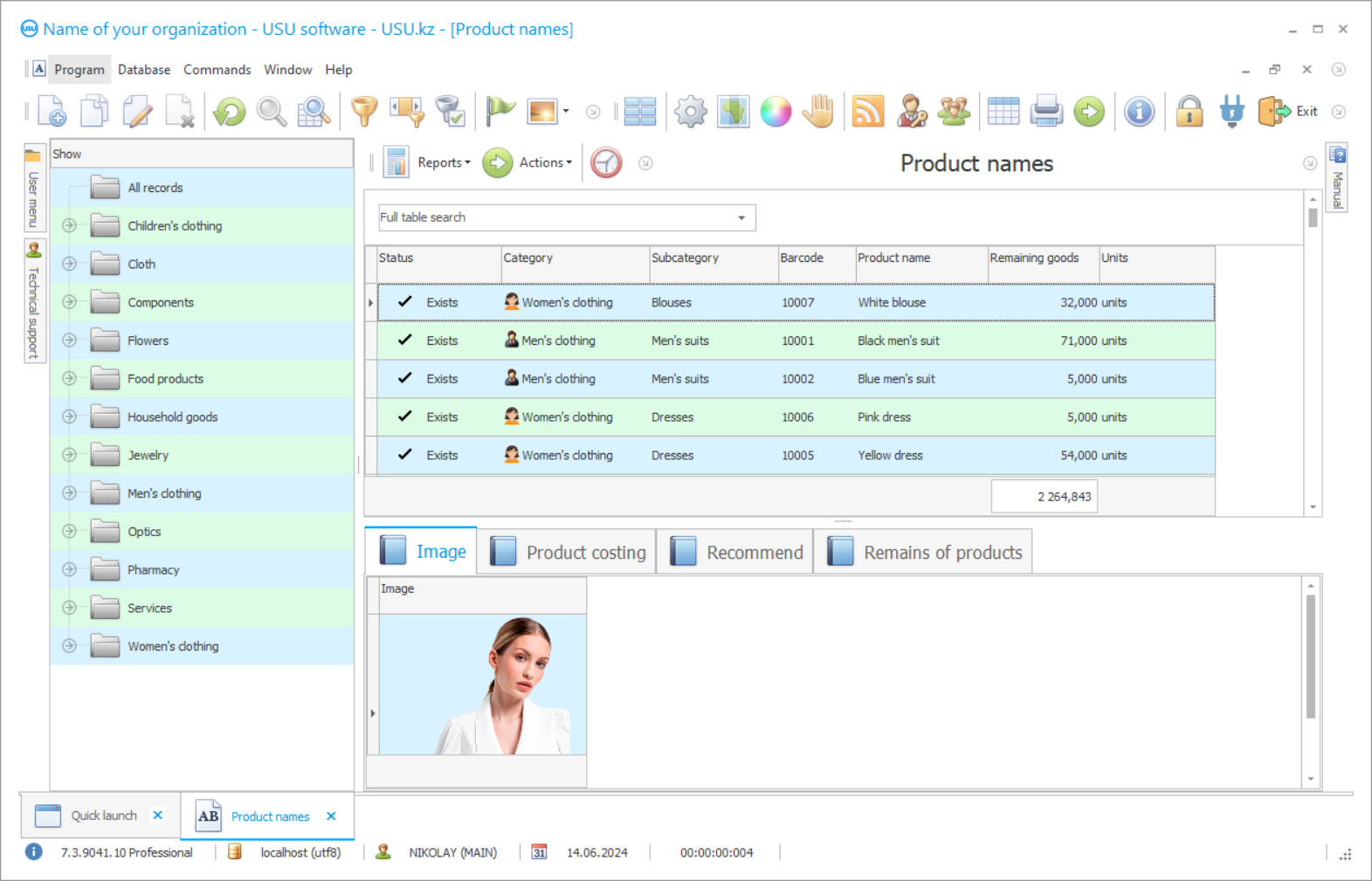
The inventory product accounting at the warehouse in the USU Software is maintained by the warehouse storage base, the product line, the invoice base, the order base, and even the counterparty base. These are the main databases, each product is present in one quality or another, just like a warehouse, in a direct context or indirectly.
Product accounting in the warehouse of the enterprise is automated. The operations are performed independently, including accounting, control, and calculations. But this requires that warehouse workers inform about the results when performing their duties. It was the program that was informed because it must have complete information about what is happening with the products subject to accounting. The program organizes effective control over the condition of the product as quantitative and qualitative, document all changes in its condition, correctly distribute all the costs associated with maintaining the products in the warehouse of the enterprise. The users are informed by entering operating indications into their personal logs after performing operations within the competence. The main criterion for assessing these indications, both primary and current, is efficiency and reliability. Since any change in the product, added in a timely manner to the automated system, will allow the system to be more accurate. Description of the current state of affairs at the enterprise includes not only the product, but also the warehouse, financial situation, and personnel efficiency.
Who is the developer?

Akulov Nikolay
Expert and chief programmer who participated in the design and development of this software.
2026-09-23
Video of product accounting at the warehouse

The configuration for managing in the inventory involves the division of rights to service information, including the one that operates the warehouse. For this operation, the system assigns each employee an individual login and a security password. In conjunction, the amount of available data is limited. Forming a separate work area with personal logs, only the owner and the management of the enterprise have access to them, whose responsibilities include monitoring the compliance of user information with current processes.
Thanks to the separation of rights, the configuration for product accounting at the warehouse reliably protects the confidentiality of service information. The built-in scheduler is responsible for safety. Its responsibilities include starting automatic work according to the schedule approved by the enterprise, among which there is regular data backup.
Download demo version
When starting the program, you can select the language.
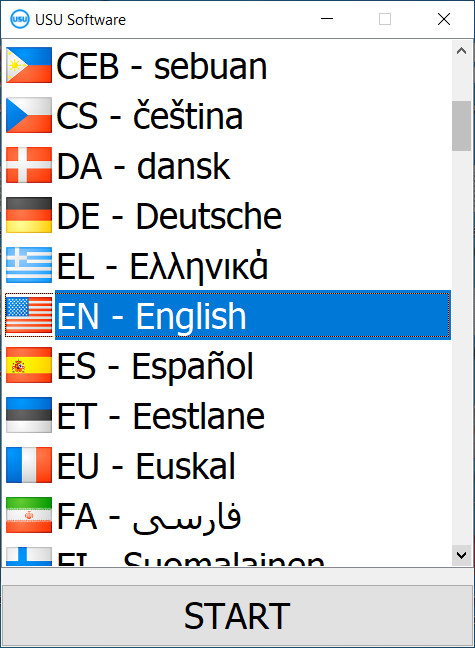
You can download the demo version for free. And work in the program for two weeks. Some information has already been included there for clarity.

Who is the translator?

Khoilo Roman
Chief programmer who took part in the translation of this software into different languages.
If we are talking about product accounting in a warehouse, firstly, we must present a warehouse storage base, which lists the cells intended for placing products and their technical characteristics as capacity, conditions of detention, etc. At the next product arrival at the warehouse, the configuration for accounting for products automatically goes through all the acceptable distribution options and offers the company the optimal one. The program takes into account the current filling of the cells and the compatibility of their contents with the new composition. The warehouse worker only needs to accept the offer as a guide to action and carry out, as the configuration for accounting for products in the warehouse considers.
The warehouse base is convenient for the enterprise in use. It is easy to reformat it according to the desired search criterion and also easy to return to its original position. If you need to determine where and how much of a particular product is placed, then it will make a list of storage locations indicating the number of positions of interest in each found cell.
Order a product accounting at the warehouse
To buy the program, just call or write to us. Our specialists will agree with you on the appropriate software configuration, prepare a contract and an invoice for payment.
How to buy the program?

Send details for the contract
We enter into an agreement with each client. The contract is your guarantee that you will receive exactly what you require. Therefore, first you need to send us the details of a legal entity or individual. This usually takes no more than 5 minutes

Make an advance payment
After sending you scanned copies of the contract and invoice for payment, an advance payment is required. Please note that before installing the CRM system, it is enough to pay not the full amount, but only a part. Various payment methods are supported. Approximately 15 minutes

The program will be installed
After this, a specific installation date and time will be agreed upon with you. This usually happens on the same or the next day after the paperwork is completed. Immediately after installing the CRM system, you can ask for training for your employee. If the program is purchased for 1 user, it will take no more than 1 hour

Enjoy the result
Enjoy the result endlessly :) What is especially pleasing is not only the quality with which the software has been developed to automate everyday work, but also the lack of dependency in the form of a monthly subscription fee. After all, you will only pay once for the program.
Buy a ready-made program


Also you can order custom software development
If you have special software requirements, order custom development. Then you won’t have to adapt to the program, but the program will be adjusted to your business processes!
Product accounting at the warehouse
The process of product accounting or other material assets, except for the finished product, should be carried out at planned intervals in order to ensure the compliance of accounting data with the actual availability of inventories. The safety of materials and their reliable accounting depend not only on the organization of the current accounting but also on how timely and accurate the warehouse, control, and random checks are carried out.
Automation of accounting at any enterprise is an objective necessity. It is necessary to organize processing documentation for all sections of accounting, from the collection of primary accounting data to the receipt of financial statements in one software product. To simplify the accounting of materials in the warehouse and in the accounting department, it is necessary to automate the warehouse. Automation will provide controlled input and output of information, organization of storage of accounting information on external media, protection of information from unauthorized access, as well as exchange with other information objects.
The software configuration for the accounting of commercial products and goods provides for control over the primary information and the activities of personnel. It opens up access to the management to all personal documents in order to regularly check the quality and timing of tasks and the reliability of the information. It does not take too much time to check the information. The USU Software configuration for product accounting also provides the presence of an audit function. It uses a font to highlight new data and correct old ones, so you can visually assess their compliance with the current state of processes and accept or refuse changes. All information is stored in an automated accounting system and never been deleted from it.
Inventory accounting also requires an effective warehouse accounting, so automation provides inventory control in real-time when its data correspond exactly to the current moment.