

Operating system: Windows, Android, macOS
Group of programs: Business automation

Inventory and order management
- Copyright protects the unique methods of business automation that are used in our programs.

Copyright - We are a verified software publisher. This is displayed in the operating system when running our programs and demo-versions.

Verified publisher - We work with organizations around the world from small businesses to large ones. Our company is included in the international register of companies and has an electronic trust mark.

Sign of trust
Quick transition.
What do you want to do now?
If you want to get acquainted with the program, the fastest way is to first watch the full video, and then download the free demo version and work with it yourself. If necessary, request a presentation from technical support or read the instructions.

WhatsApp
During business hours we usually respond within 1 minute
How to buy the program?
View a screenshot of the program
Watch a video about the program
Download demo version
Compare configurations of the program
Calculate the cost of software
Calculate the cost of the cloud if you need a cloud server
Who is the developer?
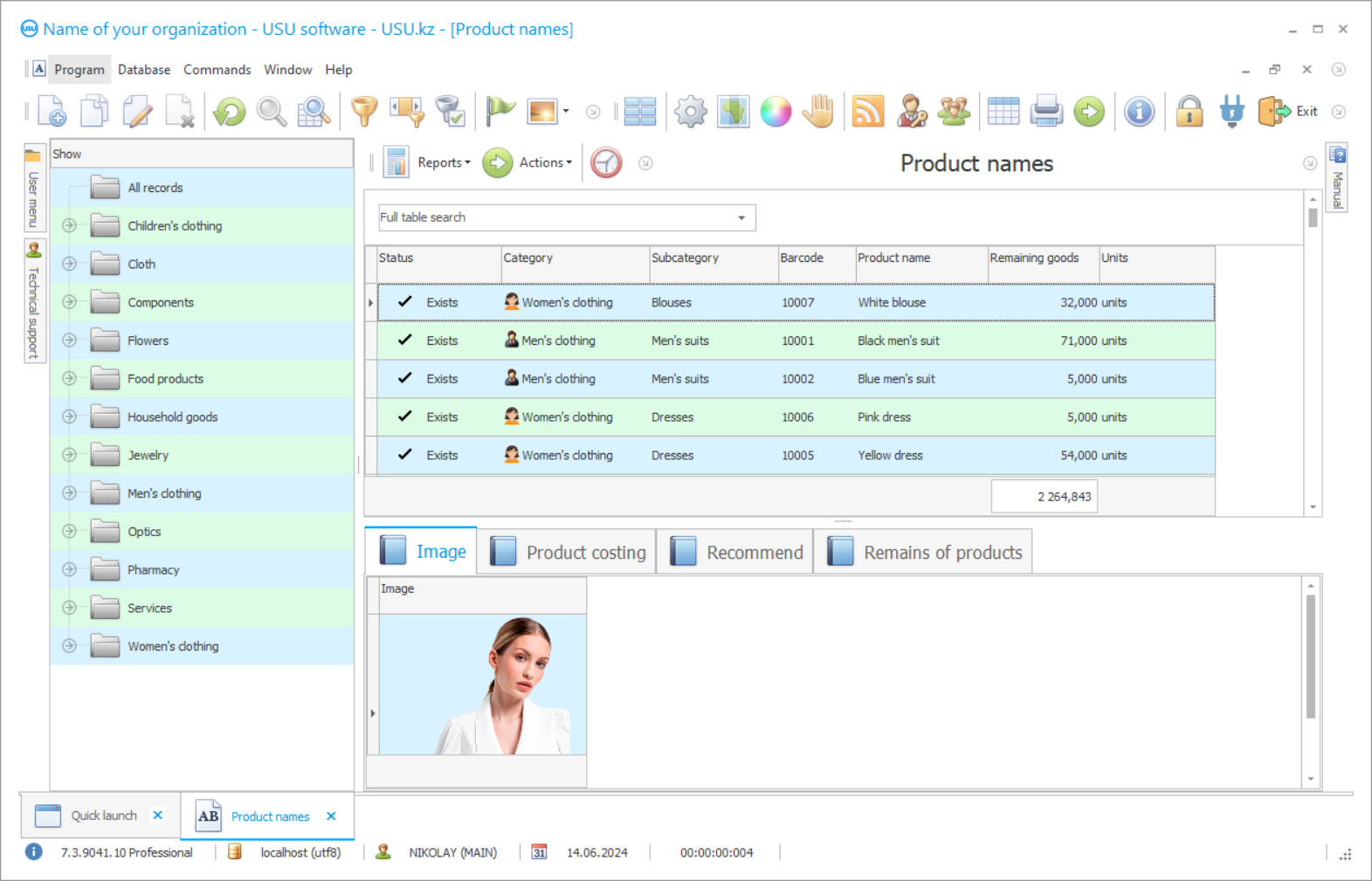
Program screenshot
A screenshot is a photo of the software running. From it you can immediately understand what a CRM system looks like. We have implemented a window interface with support for UX/UI design. This means that the user interface is based on years of user experience. Each action is located exactly where it is most convenient to perform it. Thanks to such a competent approach, your work productivity will be maximum. Click on the small image to open the screenshot in full size.
If you buy a USU CRM system with a configuration of at least “Standard”, you will have a choice of designs from more than fifty templates. Each user of the software will have the opportunity to choose the design of the program to suit their taste. Every day of work should bring joy!
Who is the developer?

Akulov Nikolay
Expert and chief programmer who participated in the design and development of this software.
2026-09-23
Video of inventory and order management

Download demo version
When starting the program, you can select the language.
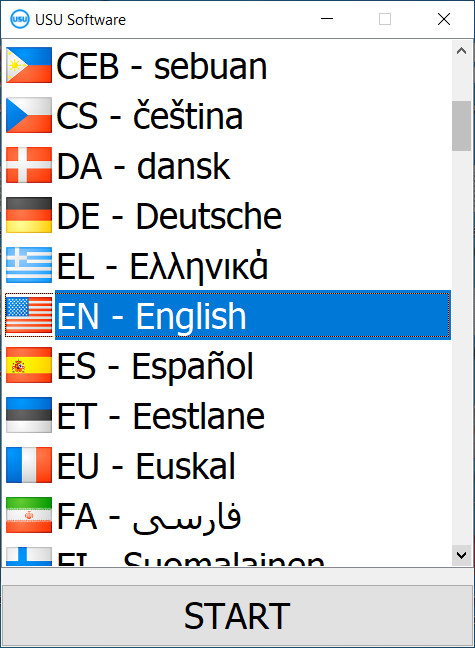
You can download the demo version for free. And work in the program for two weeks. Some information has already been included there for clarity.
Who is the translator?

Khoilo Roman
Chief programmer who took part in the translation of this software into different languages.
Order an inventory and order management
To buy the program, just call or write to us. Our specialists will agree with you on the appropriate software configuration, prepare a contract and an invoice for payment.
How to buy the program?

Send details for the contract
We enter into an agreement with each client. The contract is your guarantee that you will receive exactly what you require. Therefore, first you need to send us the details of a legal entity or individual. This usually takes no more than 5 minutes

Make an advance payment
After sending you scanned copies of the contract and invoice for payment, an advance payment is required. Please note that before installing the CRM system, it is enough to pay not the full amount, but only a part. Various payment methods are supported. Approximately 15 minutes
The program will be installed
After this, a specific installation date and time will be agreed upon with you. This usually happens on the same or the next day after the paperwork is completed. Immediately after installing the CRM system, you can ask for training for your employee. If the program is purchased for 1 user, it will take no more than 1 hour

Enjoy the result
Enjoy the result endlessly :) What is especially pleasing is not only the quality with which the software has been developed to automate everyday work, but also the lack of dependency in the form of a monthly subscription fee. After all, you will only pay once for the program.
Buy a ready-made program


Also you can order custom software development
If you have special software requirements, order custom development. Then you won’t have to adapt to the program, but the program will be adjusted to your business processes!

Inventory and order management
In the term of reality all the organization are in a real need of programs that can simplify organizational, control and performing processes. If you a stock you unfortunately have only two eyes to look after every part of it and management becomes an unbearable tasks to handle fully. The USU cares about your comfort, the time and your nerves and has developed a unique system that absolutely for sure can help you with running your business. Our professional high quality developers have shown good results and given to the market different kinds of software to optimize the work. For the warehouses and stocks we suggest you the best program that suits all the needs and has all the parameters to organize inventory and order management.
The Inventory and order management in the "Universal Accounting System" automation program is carried out in real time, when information about inventories and orders is relevant at the time of the request - any changes in the volume of inventories and the composition of orders are instantly reflected in all databases, to which stocks and orders have a direct and or indirect relationship. The loses of goods, and subsequently the loses of money will be reduced to a minimum because of the fast that everything is under your control now. To see the changes, their transfers or any other processes happening in the warehouses with the inventory and orders take you less than a minute. With the use of various tools and instruments of the software you are able to find any goods using different filters in less than a minute. Inventory management with a fixed order size is also automated, which allows you to calculate a fixed amount of materials required to fulfill it. Mistakes in calculations can’t bother you anymore just because the program does it automatically as well. With the use of these functions it becomes much easier to see the inventory that are ordered more than others and the goods, which bring you profit the most. As the program does everything itself, your task is to analyze the data, which it gives to make management decisions and bring changes in the life of a stock and your employees. A fixed order size calculates the exact amount of inventory consumed during production based on a fixed order size, so the inventory management software configuration independently calculates future fixed costs depending on the composition of the order and its size. To do this, in the configuration for inventory management, an order base is formed, where all customer orders received by the enterprise are stored, including for calculating the preliminary cost. It also helps you never to lose your customers and always keep in touch with them. When registering an application, data is entered into a special form, filling out which allows you to quickly receive an answer on the price of the order, even if it has a fixed size. The application indicates all the initial data on the content of the order, required for its execution of the operation, but the volume of stocks is determined automatically based on the data of the industry regulatory and reference base built into the configuration for inventory management with a fixed order size, which contains all the standards and rules for the execution of work operations, requirements for the quality of inventories and the rate of their consumption in each operation. With these regulations in place, a fixed-order inventory management configuration provides accurate inventory counting. The management of calculations is automated due to the presence of this regulatory framework, since when the control program is first started, the calculation of each work operation is adjusted, taking into account the time of its execution, the amount of labor applied and the amount of stocks involved in it. Cost estimate management allows you to instantly evaluate any work, any order, including those with a fixed size, and automatically draw it up for transferring stock to production in the required quantity. For warehouse management in the configuration for inventory management with a fixed order size, an item series is formed, which represents the entire range of materials that are used in production. As you could see the inventory and order management provided by the software takes almost all the complex duties to avoid any errors in calculations. While the program counts not only inventory but also time, which is spent to complete the order, such information is also seen in each employees working space in the system, so their work is going to be always planned, scheduled and in consequence, more effective. It should be noted that all databases in a fixed-size management configuration have the same look - a unified format allows users to save time on entering information, since a single algorithm for adding is always used. For example, databases consist of two parts - a general list of items, according to the content of each, and a tab bar for a detailed description of the item selected in the general list. The number of bookmarks may be different, but outwardly the databases are identical to each other, so the user does not rush around the document asking where and what to place - everything is simple, clear, always the same and allows you to bring the data entry procedure to automaticity. With the use of the inventory and order management the working process is coherent and consistent, and this is exactly what the warehouse management lacks.